Go beyond the lab.
Investigate. Decide. Master.
RealCyberWork is a practice version of a real security team. Suspicious emails get reported to you, you work out whether they are dangerous, and you say what should be done about them — with a coach explaining every step. No experience needed.
No credit card · 4 free cases · Training mode, all indicators defanged
Threat Intel
Get your latest daily cybersecurity news at your finger tip.
Live simulated intelligence feed. New indicators drop every 24 hours with defanged IOCs, source attribution and MITRE mapping.
AiTM phishing kits remain the dominant credential-theft path
Thu, Sep 24, 2026 · 6 items · current drop
Learn every phishing component
before you touch a live case
Nine components, one at a time. What each one means, what to look at, what is normal, what you can safely ignore — and what turns a report into a full investigation.
Component 1 · Origin & delivery path
Header
Headers are the envelope of the message: every server that touched it, in the order it was touched. The visible From: line is display text an attacker controls; the headers are the closest thing to a delivery receipt.
- Read Received: hops bottom-up — the bottom-most hop is the true origin.
- Compare Return-Path / envelope sender with the visible From: address.
- Reply-To pointing at a different domain than the sender.
- Message-ID whose domain does not match the sending infrastructure.
- Suspiciously few hops, or a hop from a consumer/residential IP.
- Legitimate bulk mail routes through known providers (Google, Microsoft, SendGrid, Mimecast).
- Timestamps that increase smoothly from origin to your gateway.
- Internal-only headers added by your own gateway at the top.
- X-* vendor headers that only describe scanning or routing metadata.
- Small clock skew of a few seconds between hops.
- Base64 encoded subject lines — normal for non-ASCII text.
- Origin IP belongs to bulletproof or newly leased hosting → open the Domain & infrastructure component.
- Envelope sender differs from From: → verify Authentication next.
- The same origin IP appears in earlier tickets → likely a campaign, not a one-off.
Learning only · no live artefacts on this page
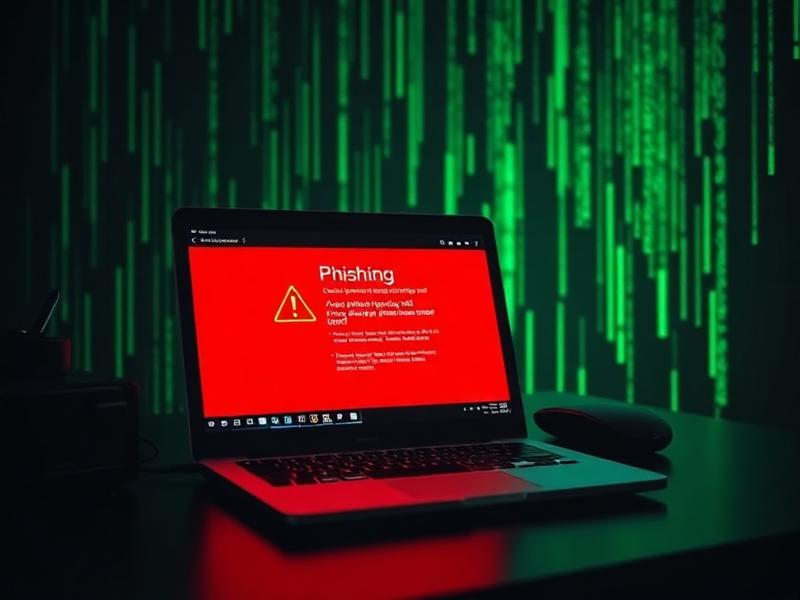
This is where you actually investigate phishing emails
RealCyberWork is a real security operations centre you can step into. Start by checking one email, learn the method with a coach, then work live tickets. Three steps — pick the one that matches you today.
Step 1 · Takes 2 minutes
Copy the email you received and paste it in. You get a plain-English answer — safe, phishing or scam — plus the reasons behind it. No account, no jargon, nothing to install.
Check an email now
Step 2 · Takes an hour or two
A guided walkthrough of a real phishing email, one piece at a time: the header, the message, the link, the attachment. We tell you what to open, which tool to use and what the result means. Zero experience needed.
Start guided training
Step 3 · Do the job for real
Pick a ticket from the queue, dig through the evidence yourself, decide what to block or shut down, then write the incident report — the same work a security analyst is paid to do.
See InvestigationsReference · Look things up any time
Stuck on a word or wondering what the platform can do? These two pages sit beside every case: one lists every tool and workspace you get, the other explains the security vocabulary in plain English.
How it works
No numbered checklist. A playbook runs quietly behind the case.
Get assigned
A ticket lands in your queue with a reporter, a subject and an SLA clock.
Investigate
Headers, URLs, attachments, identity, endpoint — pivot wherever the evidence leads.
Decide
Classify, escalate or contain. Every decision needs confidence, rationale and evidence.
Report & debrief
Produce an incident report, then get scored like a senior analyst would score you.
Never done this before?
Start with one email. It takes two minutes.
You don't need to know what a header or a domain is yet. Paste a message you are unsure about, read the verdict in plain English, and see which clues gave it away. Everything else on this page builds from there.
From never seen a header to closing real tickets
Four rungs, in order. Each one is hands-on from the first minute — you climb by investigating, not by watching.
- 0Level 0 · Curious5 minutes
Check one suspicious email
Paste an email into AI Email Check and read the verdict plus the signals behind it. No account needed.
Check an email - 1Level 1 · Beginner1–2 hours
Learn the four components
Header, content, attachment, link — coached step by step with a mentor explaining every tool result.
Start guided training - 2Level 2 · Junior analystFirst week
Close your first live ticket
Take a case from the SOC queue, work it in the sandbox, capture IOCs and make a containment call.
See investigations - 3Level 3 · PractitionerOngoing
Run shifts and build a résumé
Daily queue drills, harder branching cases, interview mode, and an exportable portfolio of closed cases.
Compare plans
Why it sticks
Operational decisions, not quizzes
You choose containment actions and live with the consequences the engine generates.
Evidence discipline
Chain of custody, hashes and preservation are built into the workflow, not bolted on.
Branching outcomes
Miss an indicator and the case comes back. Get it right and you see the clean outcome.
Portfolio you can show
Reports, IOC counts and MITRE coverage exportable as a labelled simulated-experience portfolio.
Stop watching tutorials. Start closing tickets.
Free gets you inside the console. Practitioner gives you the live queue, containment calls and a résumé built from cases you actually closed.
Free
For anyone curious about SOC work.
- AI Email Check — 5 checks / month
- Guided Training — 2 training emails
- 1 full investigation case
- Header, URL and IOC workspaces
- Terminology library and Academy previews
- Basic debrief score
Practitioner
For career changers and junior analysts.
- Full case library
- Daily SOC queue with SLA pressure
- Identity, endpoint and containment workspaces
- Attachment detonation and MITRE mapping
- Career mode + Interview mode
- Exportable analyst résumé and reports
- Unlimited AI Email Check
All plans run in training mode. No live malicious content is ever served.
Your first ticket is waiting.
INC-2026-0481 is unassigned and the SLA clock is at 42 minutes.